
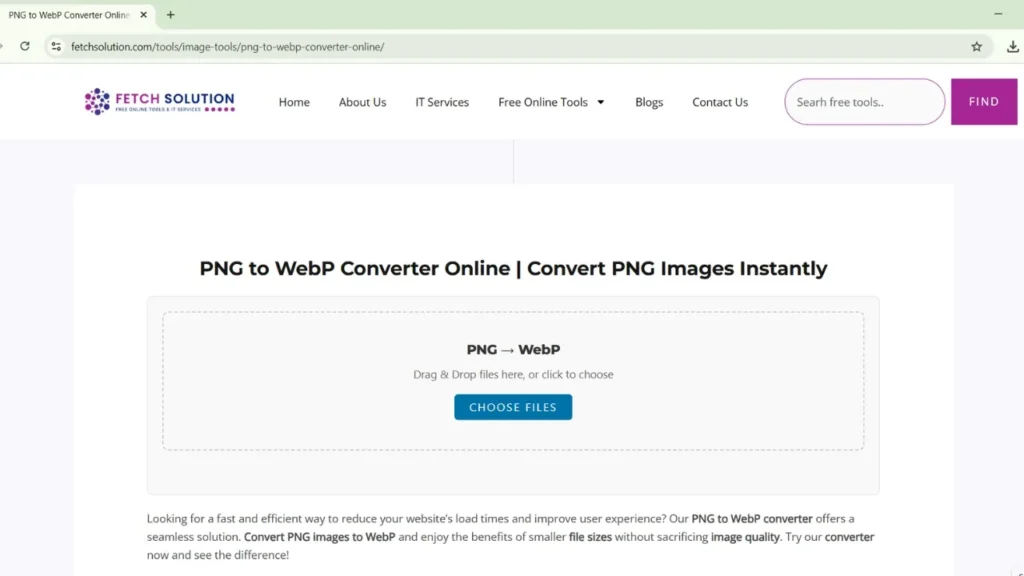
Looking for a fast and efficient way to reduce your website’s load times and improve user experience? Our PNG to WebP converter offers a seamless solution. Convert PNG images to WebP and enjoy the benefits of smaller file sizes without sacrificing image quality. Try our converter now and see the difference!
Introduction to PNG to WebP Conversion
The digital landscape demands speed and efficiency, especially when it comes to website performance. That’s why PNG to WebP conversion is becoming increasingly vital. By using a webp converter, you can significantly optimize your image files, ensuring faster loading times and a better user experience.
Benefits of Converting PNG Images
Converting PNG images to WebP offers numerous advantages. The primary benefit is reduced file size through superior compression, which leads to faster website loading times. This improved speed not only enhances user experience but also boosts your site’s SEO ranking. By using a webp converter, you get smaller files while maintaining image quality.
How Fetch Solution’s Converter Works
Fetch Solution’s PNG to WebP converter is designed for simplicity and efficiency. To convert your PNG, simply upload your png file using the drag and drop feature. Our tool handles the conversion process quickly, providing you with a webp file ready for immediate use. The process ensures an optimal balance between file size and visual quality.
Call to Action for Users
Ready to experience the benefits of WebP? Convert PNG to WebP online with Fetch Solution’s easy-to-use webp converter online! Start now to optimize your image files, improve your website’s performance, and enhance user experience. Convert images and see the difference for yourself. It’s quick, free, and efficient!
What is WebP Format and Its Advantages over PNG
Understanding the difference between image formats is crucial for web development. PNG, or Portable Network Graphics, is a widely used image format known for its lossless compression. WebP, on the other hand, is a modern image format developed by Google that offers both lossy and lossless compression, often resulting in smaller file sizes than PNG.
Understanding the WebP Image Format
WebP is a modern image format developed by Google that compresses images up to 30% more efficiently than PNG while maintaining quality.
WebP is a modern image file format that provides superior lossy and lossless compression for images on the web. Developed by Google, the webp image format supports animation and transparency, offering a versatile alternative to older formats like JPG, PNG, and GIF. The aim is to reduce file size and improve web performance.
Advantages of Using WebP over PNG
Choosing WebP over PNG provides notable advantages. WebP offers better compression, reducing file size while maintaining comparable image quality. This results in faster website loading times and reduced bandwidth usage. Additionally, WebP supports both lossy and lossless compression, giving you more flexibility in optimizing image files for various needs.
Comparative Analysis: PNG vs WebP
When comparing PNG and WebP, key differences emerge. PNG uses lossless compression, retaining all image data, making it ideal for graphics requiring high detail, such as logos. WebP, however, offers both lossy and lossless compression. In most cases, WebP achieves smaller file sizes with comparable image quality, making it more suitable for web use.
If you’re working with JPG files, you can also try our JPG to WebP Converter Online — it’s free, fast, and optimized for high-quality WebP image output.
How to Convert PNG to WebP Online
Step-by-Step Guide to Using the Converter
Our png to webp converter is designed for user-friendliness. To convert your png, the process involves these simple steps:
- Upload your png file. You can select your image files using the drag and drop interface.
- Click the convert images button. Our webp converter will handle the conversion, and you will receive your webp file quickly.
Tips for a Successful Conversion
For a successful png to webp conversion, ensure your original png image is of high image quality. Using our webp converter, you’ll find that even with compression, the visual quality remains excellent. Preview the converted webp images before downloading to ensure they meet your standards, and optimize them further if needed.
Common Issues and Troubleshooting
Sometimes, users face issues during webp conversion. A common problem is large file size. Our converter is designed to compress images to webp effectively. Check your internet connection if the conversion is slow. If image quality is poor, try adjusting the compression settings for a better balance when you convert images.
Unsupported File or Format Error
If you encounter an “unsupported file format” error, ensure you are uploading a valid png file. Our webp converter specifically handles png to webp. If the issue persists, try a different png image or check for any corruption in your original image file. If problems persist when you convert your png, contact support.
Bulk/Batch PNG to WebP Conversion
How to Batch Convert PNG to WebP
Here’s how to convert PNG to WebP in bulk with our tool. The process is simple and efficient, allowing you to:
- Select multiple PNG files, either using the drag and drop feature or uploading them directly.
- Convert images simultaneously, saving you time during the WebP conversion process.
Limitations and Considerations for Bulk Conversion
While our webp converter supports png to webp bulk, there may be limitations depending on server load and file size. For very large batches, consider breaking them into smaller groups for faster processing. Always ensure you have enough storage space for the converted webp images after you convert png to webp online.
Optimizing Batch Conversion for Efficiency
To optimize batch convert png to webp for efficiency, close unnecessary applications to free up system resources. Ensure a stable internet connection for faster uploads and downloads. Monitor the conversion progress and adjust settings if needed to achieve the desired image quality and file size when you convert images in bulk with our webp converter.
Why Choose Fetch Solution’s PNG to WebP Converter?
Trusted by thousands of users worldwide
Fetch Solution’s png to webp converter is trusted globally because it offers reliable and high-quality webp conversion. Thousands of users rely on our converter to optimize their image files. Our commitment to delivering a seamless experience ensures that when you convert png to webp online, you get the best results.
No software installation required
Our webp converter is free online, eliminating the need for any software installation. Access our image converter directly through your web browser to instantly convert images. This makes the process quick and hassle-free, allowing you to convert your png to the webp format without any downloads or installations.
Works on any device or browser
Fetch Solution’s png to webp converter is designed to be accessible on any device or browser. Whether you’re using a desktop, tablet, or smartphone, you can easily convert png to webp. Our webp converter online supports all major browsers, ensuring a seamless and consistent webp conversion experience across all platforms.
Benefits of Using Fetch Solution’s Converter
Free, Fast, and Secure Image Conversion
Our png to webp converter offers a free online platform for efficient webp conversion. Experience the speed and security of converting your png images to webp without any cost. Our converter uses advanced compression techniques, ensuring your file size is reduced while maintaining excellent image quality.
User-Friendly Interface and Experience
Fetch Solution’s webp converter boasts a user-friendly interface, making the conversion process simple for everyone. The drag and drop feature allows for easy file uploading, and the intuitive design ensures a smooth and efficient webp conversion, whether you want to convert images individually or in bulk.
Additional Features of the Converter
Besides basic png to webp, our converter offers additional features to enhance your experience. This includes options for adjusting compression levels to fine-tune the image quality and file size. With our advanced settings, you can optimize your images to achieve the best balance between visual quality and performance when you convert images.
Conclusion and Call to Action
Recap of Conversion Benefits
In summary, converting png to webp offers significant benefits, including reduced file size, improved website loading speed, and enhanced user experience. Using our webp converter ensures high image quality with optimized compression. Start using our webp converter online today to optimize your image files.
Encouragement to Start Converting
Don’t wait any longer to experience the advantages of webp! Convert images from png to webp now with Fetch Solution’s easy-to-use image converter. It’s quick, efficient, and free online. Take the first step towards optimizing your website’s performance and delivering a better experience for your users when you convert your png.
Link to the Converter Tool
Ready to convert png to webp? Click here to access Fetch Solution’s PNG to WebP converter and start optimizing your image files today! Enjoy fast, secure, and high-quality webp conversion that will boost your website’s performance. Convert images now and see the difference when you convert them to webp!
Explore more free image tools on Fetch Solution Image Tools — including JPG, HEIC, and WebP converters.
Frequently Asked Questions
What is the WebP File Format?
The webp file format is a modern image format developed by Google, designed to provide superior lossy and lossless compression for images on the web. Compared to older formats like jpg, png image and gif, webp achieves smaller file sizes while maintaining excellent image quality, making it ideal for optimizing web performance.
How can I batch convert PNG to WebP files for free?
You can easily batch convert multiple PNG images to WebP format using Fetch Solution’s converter. Just upload up to 20 images at once, and download them instantly in WebP format.
Can I Convert Multiple PNG Files at Once?
Yes, our png to webp converter supports batch png to webp, which is a huge time saver. Here’s how you can benefit from this feature:
You can convert multiple png files simultaneously. Simply upload your png images to webp, and our tool will handle the webp conversion efficiently.
Enjoy the convenience of quickly converting images in bulk with our webp converter.
Is the Conversion Process Safe and Secure?
Yes, the conversion process using Fetch Solution’s png to webp converter is safe and secure. We prioritize your privacy and data security. Your image files are processed securely, and we do not store your images after the webp conversion is complete. Use our free online tool with confidence knowing your data is protected when you convert png to webp online.