
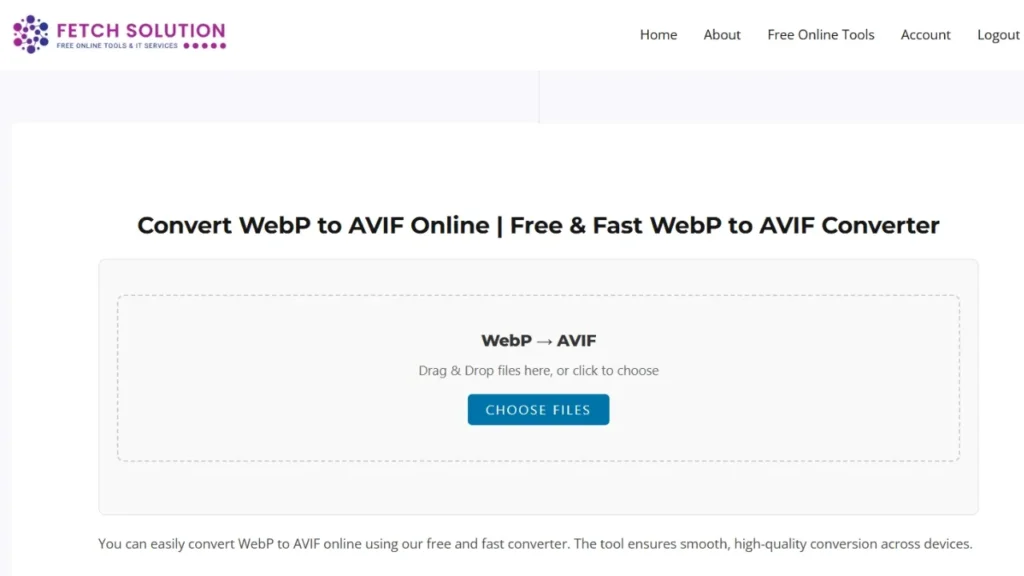
You can easily convert WebP to AVIF online using our free and fast converter. The tool ensures smooth, high-quality conversion across devices.
Welcome to our free online tool that lets you easily convert your WebP images to the AVIF format. Experience the benefits of smaller file sizes and improved image quality with our fast and secure converter!
Introduction to WebP to AVIF Conversion
The process of converting images from WebP to AVIF offers numerous advantages, focusing on enhanced compression and superior image quality, especially beneficial when you convert images for web usage, aiming for faster load times.
What is WebP Format?
WebP is an image format developed by Google, designed to provide lossless and lossy compression for images on the web. It is known for its smaller file sizes compared to JPG and PNG, improving web performance.
What is AVIF Format?
AVIF, or AV1 image file format, is a modern image format using the AV1 video codec for compression. It supports high dynamic range and wide color gamut, delivering superior image quality with smaller file sizes.
Why Convert WebP to AVIF?
Converting your WebP images to AVIF format offers several advantages, including better compression, enhanced image quality, and support for modern features like high dynamic range, ensuring optimal performance for web images.
Benefits of Using a WebP to AVIF Converter
Using a WebP to AVIF converter offers significant advantages, primarily improved image quality and reduced file size, leading to faster load times and a better user experience across various platforms, which is perfect for any AVIF conversion.
Improved Image Quality
The AVIF format provides enhanced image quality compared to WebP, especially at higher compression levels. This means you can achieve visually superior results while maintaining smaller file sizes after you convert WebP to AVIF.
Reduced File Size
AVIF offers better compression efficiency than WebP, resulting in smaller file sizes without sacrificing image quality. This leads to faster website load times and reduced bandwidth usage when you convert your WebP images.
Wide Support Across Platforms
While WebP has decent support, AVIF is rapidly gaining traction across major browsers and platforms. Converting to AVIF ensures your images are compatible with modern devices and browsers, improving accessibility.
Why Convert from WebP to AVIF for SEO & Performance
Converting from WebP to AVIF enhances SEO and website performance by providing smaller file sizes and better image quality. Faster load times improve user experience and boost search engine rankings, which is essential if you convert WebP to AVIF online.
WebP vs. AVIF: A Format Comparison
Understanding the differences between WebP and AVIF is crucial for choosing the right format. AVIF generally offers superior compression and quality, while WebP has broader compatibility. When you need an image converter, know the difference.
Compression and Quality Analysis
AVIF typically provides better compression than WebP, meaning it can achieve the same image quality with a smaller file size. This is due to AVIF’s utilization of the AV1 video codec, which is more efficient than WebP’s compression methods.
Browser Support and Compatibility
While WebP enjoys broader browser support, AVIF is rapidly gaining traction, particularly in modern browsers. Consider your target audience’s browser usage when deciding whether to convert WebP images to AVIF format for compatibility purposes.
Best Use Cases for AVIF Format
AVIF excels in scenarios where high image quality and small file sizes are crucial, such as high-resolution photography, web graphics, and images with complex details. It is also ideal for applications that demand efficient bandwidth usage when you convert your WebP.
Comparison Table (WebP vs. AVIF)
A comparison of WebP and AVIF can help users decide which format is best for their image file needs. Key differences are highlighted in the table below:
| Feature | WebP | AVIF |
|---|---|---|
| Compression | Good | Excellent (up to 50% smaller) |
| Quality | High | Higher (HDR + 10-bit) |
| Browser Support | Widely supported | Rapidly growing |
| Transparency | Yes | Yes |
| Animation | Yes | Yes |
| Best For | General web use | High-performance sites, photography |
How to Convert WebP to AVIF Online
Our online converter lets you upload, convert, and download WebP files to AVIF instantly — all within your browser. No software required.
Step-by-Step Conversion Process
To convert WebP to AVIF online, start by uploading your WebP image to our converter. Select the desired settings, if any, and initiate the conversion. Once completed, download your new AVIF file. This simple process allows you to convert images with ease.
Batch Convert WebP Images
Our converter supports batch converting WebP images, enabling you to convert multiple files simultaneously. Simply upload all your WebP files, and the converter will process them in bulk, saving you time and effort with this image converter.
Using Drag and Drop Features
For added convenience, our tool supports drag-and-drop functionality. Simply drag and drop your WebP files directly onto the converter interface to initiate the conversion process. This feature makes it easier than ever to convert images.
Upload Limits and Supported File Sizes
While using our WebP to AVIF converter online, there may be certain limitations on upload file size. Please check our guidelines for the maximum file size supported to ensure successful conversion. This allows for efficient conversion of your WebP files to AVIF.
“You can upload up to 20 images (max 20MB each) if logged in, or 5 images as a guest.”
Platform Support for AVIF Conversion
Using the Converter on Windows
Our WebP to AVIF converter online is fully compatible with Windows operating systems. You can seamlessly convert WebP files to AVIF format directly from your Windows machine, enjoying the benefits of this modern image format and easy conversion of images.
Using the Converter on macOS
macOS users can easily convert WebP images to AVIF format using our online converter. The tool functions flawlessly on macOS, providing a smooth conversion experience without the need for any additional software, so you can easily do AVIF conversion.
Using the Converter on Linux
Linux users can also take advantage of our free online converter to convert WebP files to AVIF format. Our WebP to AVIF converter supports Linux, providing a convenient solution for converting your image files, all while retaining image quality.
# Convert using ImageMagick
magick input.webp output.avif
Trust and Security in Your Conversion
Safe and Secure Conversion Process
Our priority is to offer a safe and secure WebP to AVIF conversion process. Your files are protected during upload, conversion, and download, ensuring your data remains private and secure while using our image converter to convert images.
- All uploads are encrypted via HTTPS (TLS).
- Files are processed locally in your browser when possible.
- Converted files are deleted automatically after download.
Privacy Policies and User Data Protection
We adhere to strict privacy policies to protect your user data. We do not store your files after the conversion is complete, ensuring your privacy is fully respected when using our WebP to AVIF converter to convert your WebP images.
Fast and Reliable Conversion Service
Our free WebP to AVIF converter is designed to provide a fast and reliable conversion service. We utilize optimized servers to ensure quick processing times without compromising image quality, so you can convert WebP to AVIF online efficiently.
Frequently Asked Questions
What are the file limits for conversion?
When you use our WebP to AVIF converter, there are certain file limits to ensure optimal performance. Typically, we support individual image files up to a specific file size. For batch conversion, the total size might also be capped. Refer to our guidelines for precise limits on file size.
How does WebP to AVIF quality compare?
The AVIF format generally offers superior image quality at comparable or smaller file sizes when you convert WebP to AVIF. The compression algorithms in AVIF, leveraging the AV1 video codec, allow for enhanced preservation of details and reduced artifacts, even with high compression, allowing for a superior AVIF image.
Is the online converter secure and fast?
Yes, our online WebP to AVIF converter is designed to be both secure and fast. We prioritize your data privacy and ensure a safe conversion process. Additionally, our optimized servers enable quick processing times, so you can convert your WebP images to AVIF format with minimal delay.
Can I convert multiple WebP files to AVIF at once?
Yes, our converter supports batch processing. Upload multiple WebP files, and they’ll be converted to AVIF simultaneously.
Does converting WebP to AVIF reduce quality?
No, AVIF maintains higher visual quality at smaller file sizes. You get sharper images with faster load times.
Additional Tools from Fetch Solutions
PNG to WebP Converter
If you have PNG files you would like to optimize for the web, our PNG to WebP converter is the perfect solution. This image converter allows you to convert images from PNG to WebP format, reducing file sizes and improving website load times using lossless compression.
JPG to WebP Converter
Our JPG to WebP converter enables you to convert images from JPG format to WebP format. This tool allows you to convert your WebP images, reducing file sizes while maintaining acceptable image quality. Take advantage of this to convert images for improved web performance.
Call to Action
Start Converting Your WebP Images Now!
Don’t wait any longer! Begin using our free online converter to convert your WebP images to the superior AVIF format today! Experience the benefits of smaller file sizes and enhanced image quality for your website or other projects by doing AVIF conversion. Simply drop your WebP images to get started.
Explore More Image Conversion Tools
Discover our wide range of image format conversion tools to meet all your image optimization needs. From converting PNG to JPG, or vice versa, we offer a comprehensive suite of converters to handle any image format conversion task and convert images between formats. Explore them today.