
In this comprehensive guide, we’ll explore how to convert AVIF to JPG offline, ensuring you can easily transform your AVIF image files to JPG without relying on an online connection. Discover the best AVIF to JPG converter options, whether you’re using Windows, macOS, or Linux. We’ll also delve into the advantages of the JPG format and why you might choose it over AVIF.
Why Convert AVIF to JPG?
Converting AVIF files to JPG offers several advantages, primarily related to compatibility. While AVIF offers superior compression and image quality compared to JPG, not all platforms and software fully support the AV1 image file format yet. The conversion to JPG ensures broader accessibility for your image files.
When to Use AVIF vs JPG
AVIF is ideal when you need high image quality with smaller file size, especially for modern browsers that support it. Use JPG when widespread compatibility is crucial, such as sharing image files across various platforms or using older software that doesn’t support AVIF. Understanding when to use each format can optimize your workflow.
Benefits of Converting for Web & SEO
For web use and SEO, converting AVIF files to JPG provides better compatibility with older browsers and systems. While AVIF can offer smaller file sizes, ensuring your image files are accessible to all users is vital for user experience and SEO rankings. This conversion ensures that more users can view your images seamlessly.
Ideal Use Cases for JPG Format
The JPG file format excels in situations where universal compatibility is paramount. This includes uploading image files to social media platforms, embedding images in emails, and using images on websites that cater to a diverse user base. JPG remains a reliable choice for widespread accessibility, even with newer formats emerging.
Understanding AVIF and JPG Formats
Understanding the nuances of AVIF and JPG formats is crucial for making informed decisions about image conversion. Each image format has its strengths and weaknesses, influencing image quality and file size. Knowing when to use each format can significantly enhance your workflow and ensure optimal results for your specific needs.
What is AVIF?
AVIF (AV1 image file format) is a modern image format that offers superior compression and image quality compared to older formats like JPG. Based on the AV1 video codec, AVIF can achieve smaller file sizes with better detail retention, making it ideal for web use where bandwidth is a concern, but support is still growing.
“AVIF (AV1 Image File Format) — modern image format offering high compression.”
Benefits of Using JPG Format
The JPG file format offers widespread compatibility and ease of use. Almost every browser and image editing software supports JPG, ensuring your image files can be viewed and edited across various platforms. JPG remains a reliable choice for general use, despite its limitations in compression efficiency compared to AVIF.
Comparison of AVIF and JPG
AVIF generally provides better compression and image quality than JPG, resulting in smaller file sizes with comparable visual fidelity. However, JPG boasts wider compatibility, making it accessible on older systems and platforms that do not yet support AVIF. The choice depends on your specific needs regarding image quality and file size versus compatibility.
How to Convert AVIF to JPG Offline
Converting AVIF files to JPG offline ensures you can perform image conversion without an internet connection. This is particularly useful for sensitive data or when you need to bulk convert or batch convert AVIF to JPG. We will explore different methods to convert your AVIF files on various operating systems.
AVIF to JPG Converter Options for Windows
Windows provides multiple options for offline AVIF to JPG conversion. Here are some common approaches:
| Software Category | Examples |
|---|---|
| Image Editing Software | Adobe Photoshop, GIMP (with plugins for AVIF support) |
| Dedicated Image Converter Tools | XnConvert (supports batch convert mode for efficient file conversion) |
These methods offer a convenient way to convert AVIF files to JPG.
- Open XnConvert → add files/folders → Output format JPG → Set quality → Convert.
AVIF to JPG Conversion on macOS
macOS users have several options for converting AVIF images to JPG. Some users prefer image editing applications or plugins, while others opt for command-line tools. Here’s a breakdown of some methods:
| Method | Description |
|---|---|
| Image Editing Applications/Plugins | Use applications like Pixelmator Pro or install Preview plugins to enable AVIF support and convert AVIF images to JPG. |
| Command-Line Tools | Utilize tools like ImageMagick for bulk converting AVIF files to JPG, offering flexibility and control. |
Linux Methods for Converting AVIF to JPG
Linux users often use command-line tools for AVIF conversion. For example, tools like ImageMagick or cavif can be used to convert AVIF files to JPG.
| Tool | Functionality |
|---|---|
| ImageMagick | AVIF to JPG conversion |
| cavif | AVIF to JPG conversion |
# Install ImageMagick + AVIF delegate if needed
sudo apt install imagemagick

# Convert single file
magick input.avif output.jpg

# Batch convert all AVIF files in folder
for f in *.avif; do magick "$f" "${f%.avif}.jpg"; done
Please note that newer ImageMagick builds need libavif or avif delegate.
This makes it easier to automate batch or bulk convert AVIF files to JPG, and to ensure seamless file conversion in server environments or automated workflows.
Using Free Online AVIF to JPG Converter Tools
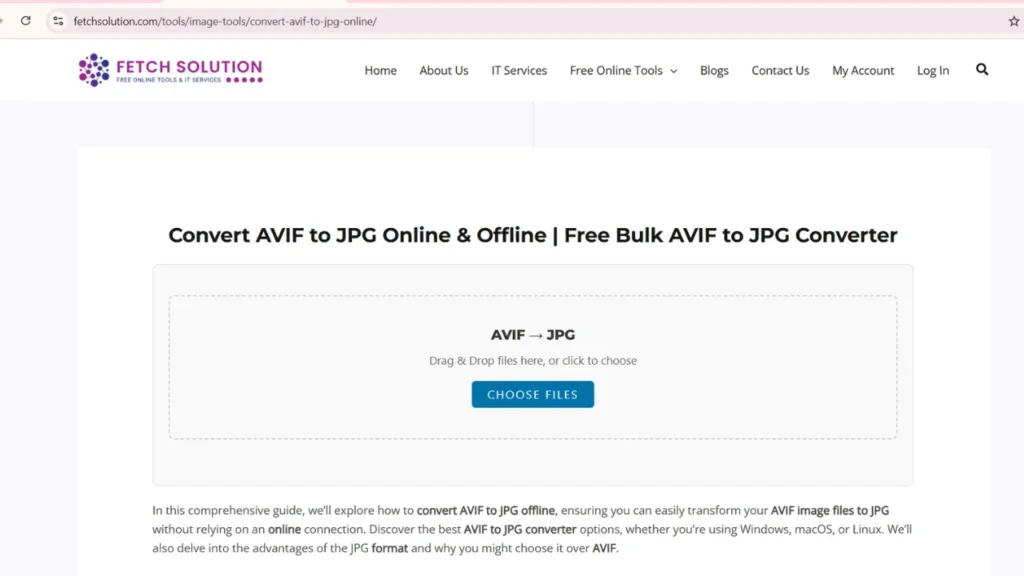
If you prefer an online solution, numerous free online AVIF to JPG converter tools are available. These platforms allow you to upload your AVIF files to JPG and download the converted JPG images without installing any software. While convenient, remember to consider the privacy implications of uploading sensitive image files to an online platform.
Consider using our HEIC to JPG Converter or HEIC to PNG Converter for other image conversions.
Bulk and Batch Conversion Techniques
Steps to Batch Convert AVIF to JPG
To batch convert AVIF files to JPG, begin by selecting a suitable image converter that supports bulk convert AVIF capabilities. Software such as XnConvert or ImageMagick allows you to add multiple AVIF files to a queue and specify JPG as the desired output format. Configure settings for image quality and resize options before starting the conversion process to achieve the desired results efficiently.
Advantages of Bulk Conversion
Bulk conversion offers significant time savings when dealing with numerous AVIF files to JPG. Instead of converting each AVIF image individually, a batch convert process allows you to convert entire folders of AVIF files with a single command. This is particularly useful for photographers, designers, or anyone managing large image file archives, streamlining their workflow and improving productivity in handling image conversion tasks.
Tools for Unlimited AVIF to JPG Conversion
For users needing to convert AVIF to JPG without limitations, several tools offer unlimited conversion capabilities. Many offline software options, like ImageMagick, provide command-line interfaces to convert as many AVIF files as needed, offering flexibility and power. Some free online converters also advertise unlimited use, but always prioritize privacy when using online platforms to convert files and manage image files.
Note: Our converter accepts up to 5 MB per file and 20 files per upload for logged-in users (guests: 5 files). For larger batches, split into multiple uploads or use offline tools like ImageMagick.
Convert Multiple AVIF Files to JPG Effortlessly
Effortlessly convert multiple AVIF files to JPG by utilizing dedicated image converter software. Programs with batch convert features let you select a folder containing AVIF files, choose JPG as the output format, and initiate the conversion with just a few clicks. This streamlined process simplifies handling large volumes of AVIF files, ensuring a smooth and efficient file conversion experience while managing image files.
Advantages of Offline Conversion
Speed and Efficiency of Offline Tools
Offline conversion tools often provide faster conversion speeds compared to online alternatives because they don’t rely on internet bandwidth. By processing files locally, offline software can quickly convert AVIF to JPG, especially beneficial when dealing with bulk convert AVIF or large image files. This enhanced speed contributes to a more efficient workflow overall while handling image conversion tasks.
Maintaining Image Quality During Conversion
When performing AVIF conversion, offline tools provide greater control over image quality settings. You can adjust compression levels and other parameters to preserve detail and minimize artifacts during the file conversion process. This level of customization ensures that the resulting JPG images retain the desired level of visual fidelity, preventing quality loss associated with some online converters.
Privacy and Security Benefits
Using an offline AVIF to JPG converter offers significant privacy advantages. Your image files are processed locally on your computer, eliminating the risk of sensitive data being transmitted over the internet. This is especially crucial for professionals handling confidential or proprietary image files, ensuring their data remains secure throughout the conversion process when managing image conversion.
Safe and Secure AVIF to JPG Conversion Process
To ensure a safe and secure AVIF to JPG conversion process, always download converter software from reputable sources. Regularly update your software to patch any security vulnerabilities and avoid suspicious online tools that may compromise your data. By taking these precautions, you can confidently convert your AVIF files while safeguarding your system and sensitive information in handling image conversion.
Please note that we process files locally in your browser and do not store images on our servers. For offline processing use ImageMagick or XnConvert.
Free Options for Converting AVIF to JPG
Best Free AVIF to JPG Converters
Many free options exist to convert your AVIF files to JPG, both offline and online. For offline use, consider open-source image converter software like XnConvert, which supports batch convert AVIF file conversion. For online conversions, several free online AVIF to JPG converter tools are available, offering a quick way to convert AVIF image files without installation. These free converters may have limitations, so choose wisely.
How to Convert Your AVIF Files for Free
To convert your AVIF files for free, you can use various methods depending on your operating system and preferences. For offline conversion, install a free image converter like IrfanView with the AVIF plugin, which lets you convert AVIF files to JPG in batch convert mode. Alternatively, online converters offer a simple drag-and-drop interface to convert your AVIF files to JPG without any cost, though limitations may apply when managing image conversion.
Limitations of Free Online Converters
While free online AVIF to JPG converter tools are convenient, they often come with limitations. These may include restrictions on file size, the number of files to convert at once, or the availability of advanced settings like image quality adjustment or resize options. Additionally, using online converters raises privacy concerns as your image files are uploaded to a third-party server to convert files.
Frequently Asked Questions (FAQ)
What is the best free AVIF to JPG converter?
Our free online AVIF → JPG converter requires no signup, runs in the browser, and supports bulk uploads. For offline use, recommended free tools include ImageMagick and XnConvert.
Can I convert multiple AVIF files to JPG at once?
Yes — our bulk convert feature lets you upload multiple AVIFs and convert them to JPG in one session. For very large batches use ImageMagick scripts or split uploads.
Does converting AVIF to JPG reduce image quality?
JPG uses lossy compression, so some quality loss can occur. You can control quality settings during conversion to minimize visible changes. AVIF → JPG may increase compatibility at cost of modest file-size/quality trade-offs.
Is my data safe when using your AVIF to JPG converter?
Yes — uploads are processed securely in the browser (we do not store files on our servers). For highly sensitive files, prefer local/offline conversion tools.
Can I use the AVIF to JPG converter offline?
Yes — offline options include ImageMagick, XnConvert, and IrfanView (Windows). These let you convert and batch process files without an internet connection.
Consider using our HEIC to JPG Converter or HEIC to PNG Converter for other image conversions.